AI Video Model
Gemini Omni Fast — Quick Clips and Natural-Language Video Edit
Generate or edit short clips in one request. Plain-language prompts for text or a single PNG, plus MP4 reference editing when you need to change an existing shot.
30 free credits on sign-up · Failed jobs refunded
Gemini Omni Fast at a glance
What you can set for each generation on SeeBloom.
- Clip length
- 4–10 seconds
- Resolution
- 720p / 1080p preference (output may stay 720p)
- Aspect ratio
- 16:9, 9:16, 1:1
- Inputs
- Text-to-video · one PNG image-to-video · MP4 edit
- Price on SeeBloom
- 20 credits per generate · 24 credits per edit
Why creators choose Gemini Omni Fast
Where the model stands out compared with other video generators.
Per-request pricing
Pay a flat credit cost per job instead of stacking long per-second bills for short trials.
Video edit path
Upload a source MP4 and describe what to change — useful when Grok is not the right fit.
Simple inputs
Text only, one PNG, or a reference clip — pick the mode that matches your asset.
Fast iteration
Built for quick storyboard beats, social drafts and edit experiments.
Gemini Omni Fast prompt examples
Copy a prompt, open the studio and paste it in — then adjust the subject and details to make it yours.
10s · 1080p preference · text-to-video
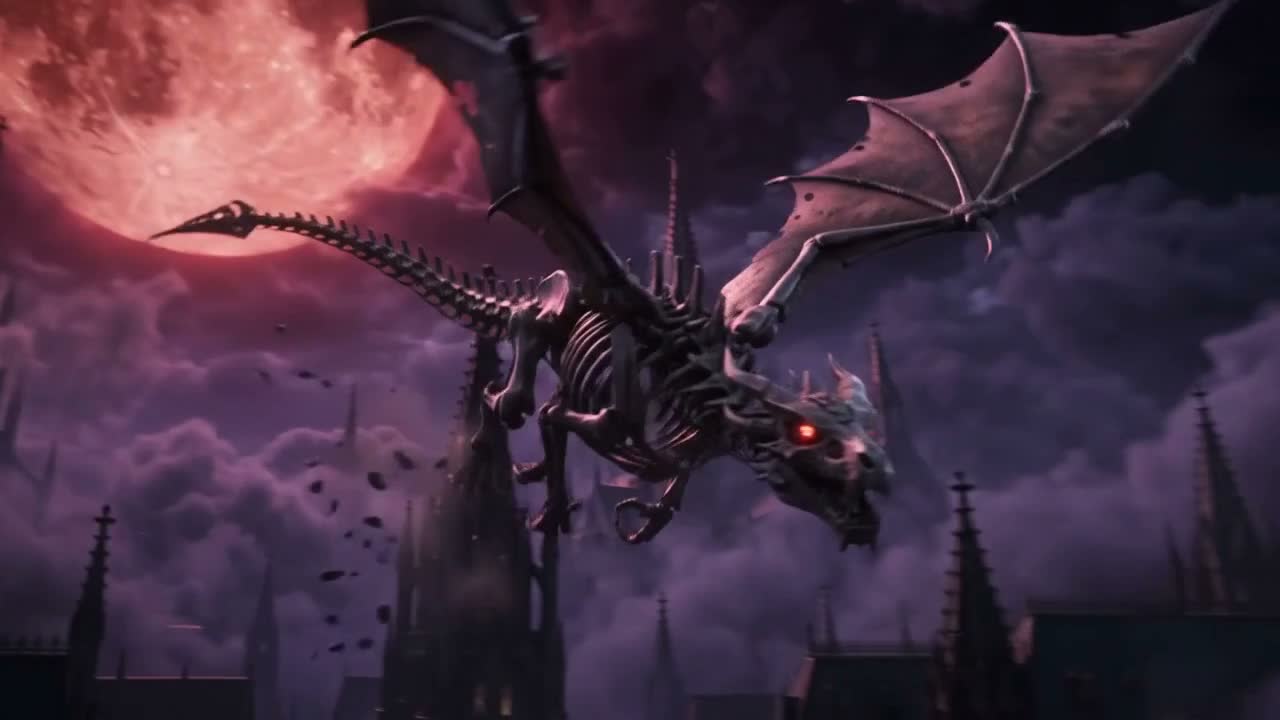
Mechanical dragon dive
Sci-fi trailer beat: under a blood moon, a giant mechanical dragon skeleton dives past gothic spires; camera pushes from low wide into an eye close-up then pulls back. High-contrast purple-black and crimson, volumetric clouds and lightning, restrained motion blur, no text, no watermark.
Prompt idea · video edit
Golden-hour edit
Edit the uploaded clip: keep the subject and camera path, but change the time of day to golden hour and add warm volumetric light. Soft ambient city sound.
How to make a Gemini Omni Fast video
Three steps, no software to install.
1Pick a mode
Write a prompt, add one PNG for image-to-video, or upload an MP4 to edit.
2Describe clearly
Name the change, what must stay, and any ambient sound you want.
3Generate
Choose 4–10 seconds and aspect, then download when ready.
Gemini Omni Fast pricing
Omni Fast is billed per request: 20 credits for text/image generation (about $1.00) and 24 credits for video edit (about $1.20) at the base rate (20 credits = $1).
| Example | Rate | Total |
|---|
| Text / image generate | 20 credits / job | 20 credits |
| Video edit | 24 credits / job | 24 credits |
Failed generations are refunded automatically.
Frequently asked questions
About Gemini Omni Fast on SeeBloom.
What is Gemini Omni Fast?
A Google multimodal video endpoint on SeeBloom for fast text-to-video, single-image video and reference-video editing.
How is pricing different from Veo 3.1?
Omni Fast charges a flat per-job credit cost. Veo 3.1 is billed per second and resolution tier.
Can I edit an existing video?
Yes. Upload a source MP4 and describe the edit in natural language.
Can I try it for free?
New accounts get 30 free credits — enough for a generate job at 20 credits.
Is SeeBloom affiliated with Google?
No. SeeBloom is an independent platform providing access to Google models alongside others.
 SeeBloom